Transfer & import
Transfer Insta360 Footage to a Computer Without a Cable
No USB cable in your bag? Four paths people actually use — plus what breaks when you try to skip the phone.
By Insta360 Camera Import team · Updated 2026-06-22
We maintain the open-source Wi‑Fi import app on this site. GO 3S + Action Pod Quick File Transfer is field-tested on macOS; Windows is in development. This page links official docs and r/Insta360 threads we used while writing — not invented quotes.
I have left the USB-C cable in the wrong bag more than once. If you shoot with a GO 3S or an X-series camera, you know the pattern: the Insta360 app is fine for a few clips, but moving a full day of footage to a laptop without a wire is awkward.

“Dealing with the app is a bit finicky especially editing with large file sizes via GO3's wifi hotspot. My mobile devices don't have that much storage to transfer the files locally.”
Below are the four paths that come up again and again: USB (when you do have a cable), phone relay, Quick File Transfer on GO cameras, and Wi‑Fi straight to a desktop. None of them is magic. USB or an SD card reader is still what most people on Reddit recommend when speed matters.
The four paths (quick map)
| Path | Cable? | Phone in the middle? | When it makes sense |
|---|---|---|---|
| USB drive mode | Yes | No | You have the official cable; want speed |
| App → phone → computer | No to camera | Yes | Official wireless; small batches |
| Quick File Transfer → phone → PC | No | Yes | GO 3 / 3S from the Action Pod |
| Wi‑Fi direct to computer | No | No | No cable; want files on disk without phone relay |
USB drive mode — still the default
Insta360’s own file-transfer guide tells you to plug in the official Type-C cable, power on, open DCIM/Camera01, and copy. Works on Mac and Windows. On a 360 shoot, copy every file for a clip (the .insv and .lrv pair) or Studio will not stitch it.
“I just take the microSD card out and connect it to my PC with a card reader. Easiest and quickest way of doing it.”
That matches what Allen Huffman reported after X3/X4 transfer tests: USB can be fast, but he stopped pulling files directly off the camera after a vacation session corrupted his card. Keep a backup on the card before you experiment with new workflows.
Phone relay (official wireless)
Camera joins your phone over Wi‑Fi; you copy from the Insta360 app folder to the computer. On iPhone + Mac that is Finder → Files → Insta360 → DCIM. On Windows, iTunes file sharing or Android’s galleryOriginal path. The folder named IMPORT must be uppercase if you copy back into the app — Insta360’s docs are picky about that.
No cable between camera and PC, but your phone is still the bottleneck. A long ski day in 5.7K fills storage fast, and the handoff is one more step before Premiere or Studio.
Quick File Transfer on GO 3 / 3S
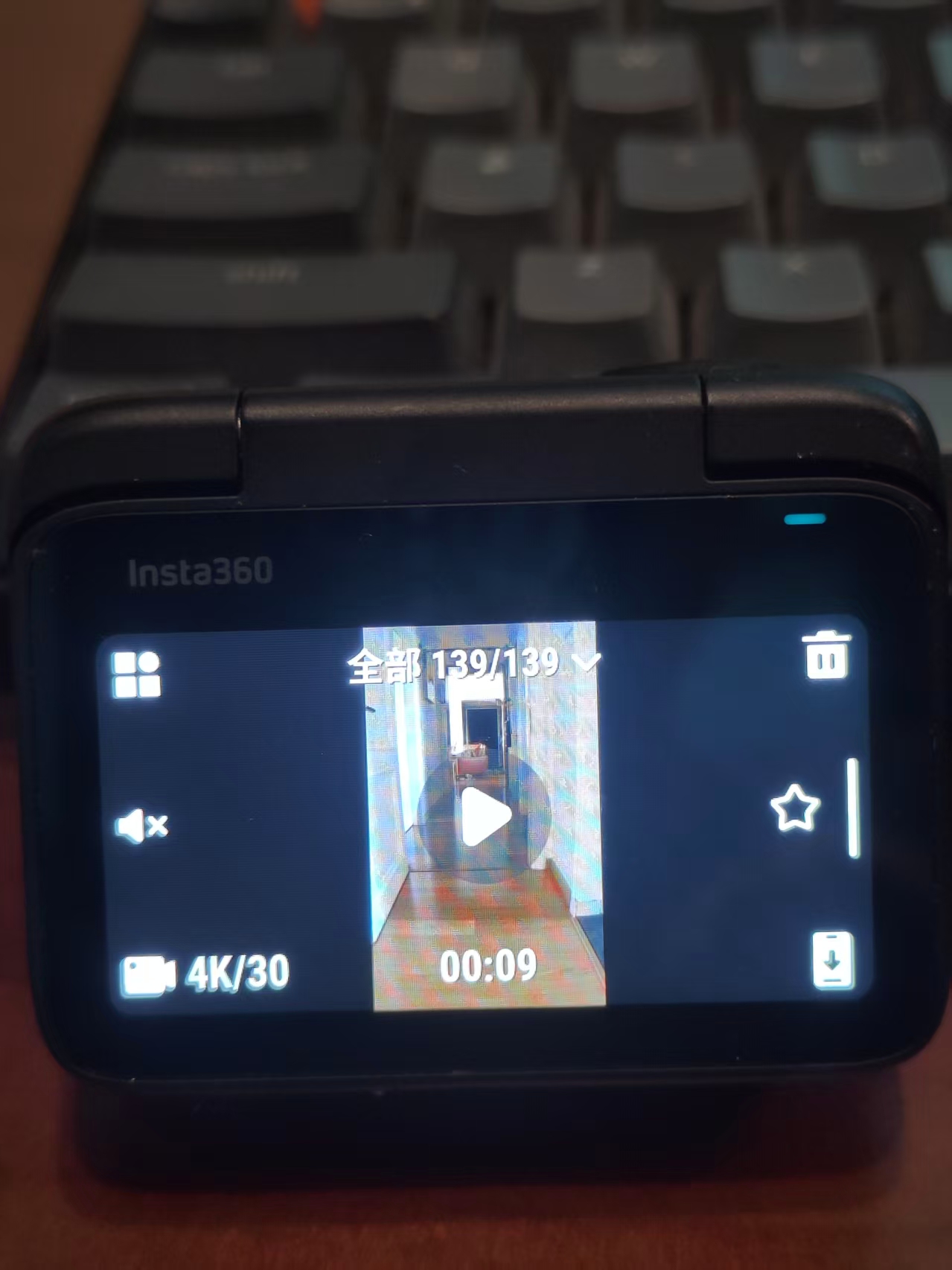
From the Action Pod: Album → select clips → Quick File Transfer. The camera pushes to the phone over Wi‑Fi. On iOS you can confirm from a notification without opening the app first.
- Dock the camera, open Album on the Pod, enable Quick File Transfer.
- Confirm on the phone.
- Copy from the Insta360 app to your computer (Finder, Explorer, or Android File Transfer).
Good when you live on the phone. If the next stop is a desktop editor, you still owe yourself that copy step.
Wi‑Fi direct to your computer
“Is there a way to directly transfer videos from the Insta360 GO 3S to a computer?”
Insta360 Studio does not import over Bluetooth or Wi‑Fi on Mac or Windows — their import docs say to use USB or files already on disk. Community tools speak the same camera Wi‑Fi protocol as the mobile app so a laptop can join the hotspot, list files, preview, and download locally.
“I did find some instructions online on how to transfer the recordings to PC over wifi, connecting my PC to the camera wifi and then transfering.”
Insta360 Camera Import (this site) is one of those tools. macOS build is out now; Windows is being worked on. After Quick File Transfer is on, you can join the GO 3S network from the Mac, browse, and save to ~/Movies/Insta360 without keeping the phone app open. Unofficial — not from Insta360. Keep SD backups.
Wi‑Fi import on macOS (short version)
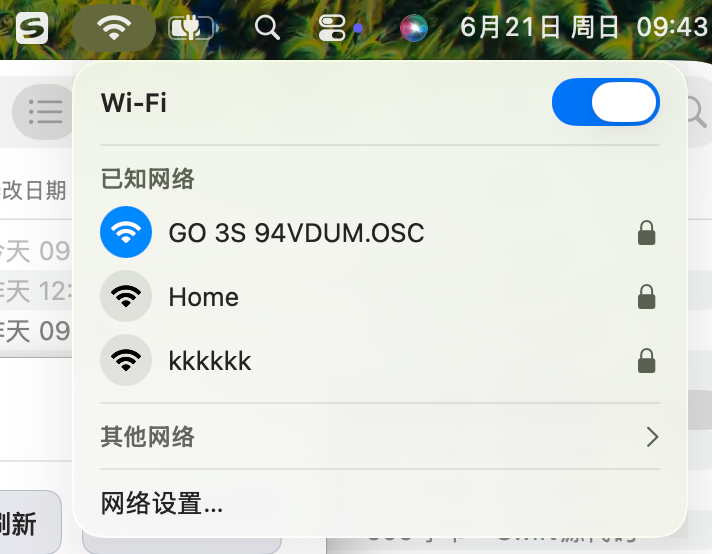
- Turn on Quick File Transfer on the Pod, or connect an X/Ace camera to its Wi‑Fi.
- On the Mac, join the camera network (name like GO 3S xxxxxx.OSC; password under Pod → Settings → Wi‑Fi info).
- Open Insta360 Camera Import → Check Connection → import what you need.
- Edit in Studio or your NLE from the local folder.
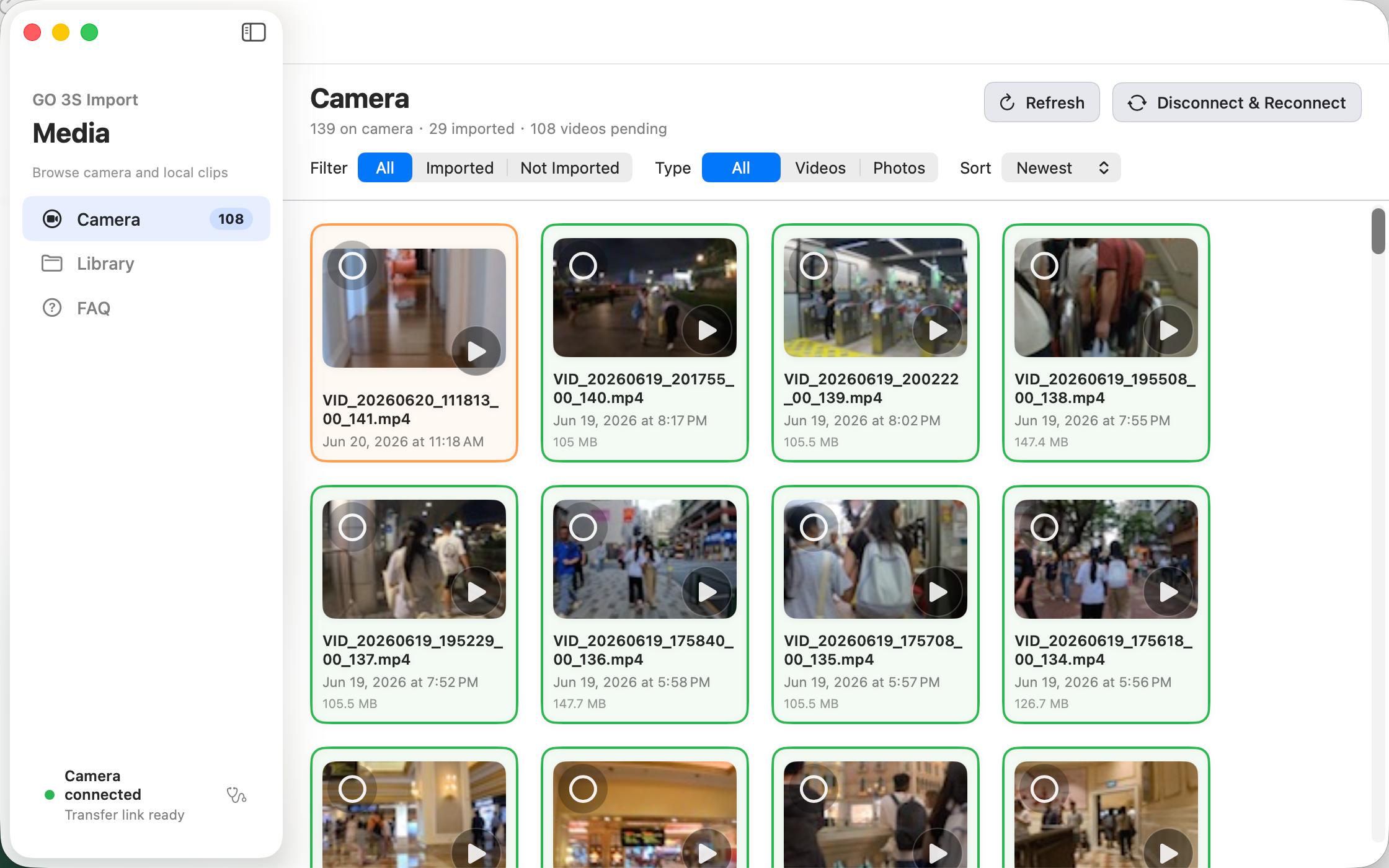
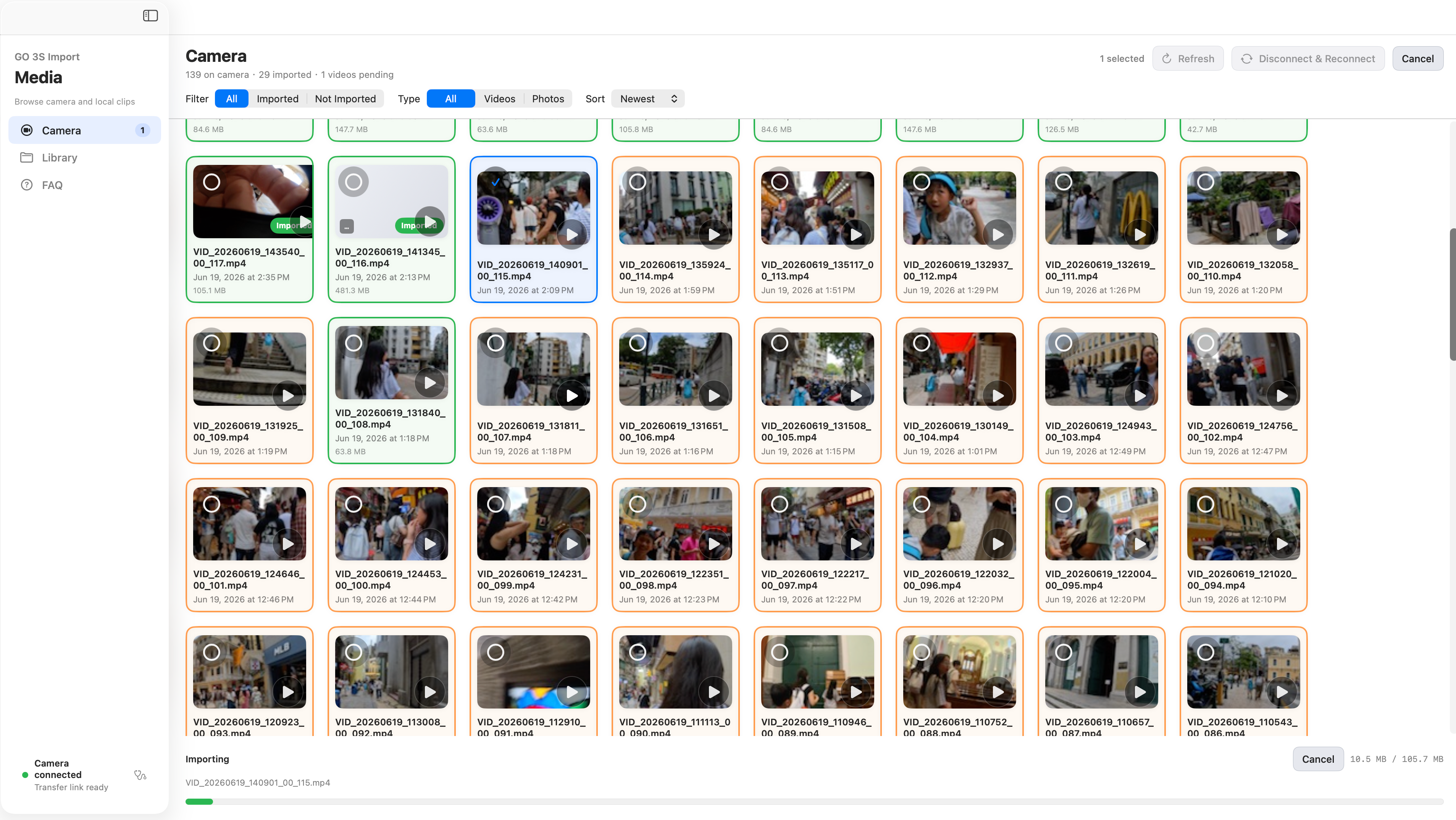
Official support once told an X3 owner that wireless PC connection is not supported — that thread is still useful context for why third-party tools exist.
Mac vs Windows today
| Task | macOS | Windows |
|---|---|---|
| USB / SD import | Yes | Yes |
| Insta360 Studio | Yes | Yes |
| Studio Wi‑Fi import | No | No |
| Phone relay | Yes | Yes |
| Insta360 Camera Import | Available | Planned |
What I would do
Cable or card reader in the bag → use that. Only need a reel on the phone → app Wi‑Fi. GO 3S with Quick File Transfer and a phone nearby → Pod transfer, then copy. No cable, need disk, tired of the phone hop → try Wi‑Fi direct on Mac (for now). Our compare page has more on speed and USB risk if you want numbers.
FAQ
- Can I skip the Insta360 phone app entirely?
- Not on the official wireless path. Third-party Wi‑Fi tools on macOS can connect the computer to the camera hotspot directly. Use at your own risk; keep card backups.
- Does Insta360 Studio import over Wi‑Fi?
- No — per Insta360’s Studio import documentation, use USB, a card reader, or files already copied to disk.
- Is Wi‑Fi slower than USB?
- Usually, yes. Wi‑Fi is for when the cable is gone or you already live in Quick File Transfer.
- Windows version?
- Planned. macOS download is on our download page.