
Last updated: June 2026

Three Ways to Move Insta360 Footage to Your Mac

Forgot the USB cable at the trailhead? Already on Quick File Transfer? This guide compares wired copy, phone relay, and direct Wi‑Fi import — with numbers from Insta360 docs and real user reports.

Why this question keeps coming up

Insta360 ships great cameras and a solid phone app. On Mac, the official path is still USB U-Disk mode or pulling files off a microSD card — Insta360 Studio explicitly does not import over Bluetooth or Wi‑Fi on desktop.

That leaves a gap: you enabled Quick File Transfer on the Action Pod, your Mac is right there, but there is no Apple-approved wireless importer. Forums and Reddit threads about “Wi‑Fi to computer” have been around for years; the official answer remains “use the cable.”

Below are the three practical routes Mac owners actually use, including our Wi‑Fi tool when the cable stayed in the car.

At a glance

FactorUSB cablePhone app relayCamera Import (Wi‑Fi)
Cable to MacRequiredRequired (phone→Mac)Not needed
Phone app during transferNoYes (download + relay)No (after Pod setup)
Typical speed~36 MB/s (GO 3 USB 2.0 cap)Wi‑Fi to phone, then USB/FinderCamera Wi‑Fi (varies by model)
Official Mac wirelessNoNo (relay only)Unofficial workaround
Best whenCable packed, large batchesAlready on phone for editingNo cable, Quick File Transfer open

Method 1 — USB cable (U-Disk mode)

Connect the camera with Insta360’s USB-C cable, choose U-Disk mode on screen, open DCIM/Camera01 in Finder, and drag files out. Insta360 Studio can pop up and offer “Import all.”

For GO 3S you set a USB password the first time; forget it and you must reset via the mobile app (Me → Other Settings → Set USB Mode Password).

Speed is capped: Insta360 documents about 36 MB/s on GO series with the original cable — USB 2.0, not the fastest link on a modern Mac.

Pros

  • Official, works offline, no phone battery drain
  • Fastest supported path for GO 3 when the cable and port behave
  • Insta360 Studio integration

Cons

  • Easy to forget the cable on trips
  • GO 3S USB password friction
  • Community reports of USB transfers interrupting and corrupting microSD (see user voices below)
  • Official troubleshooting doc for “disconnection during transfer” is long for a simple copy job

Insta360 recommends built-in ports, original cable, and updated firmware if USB drops mid-copy.
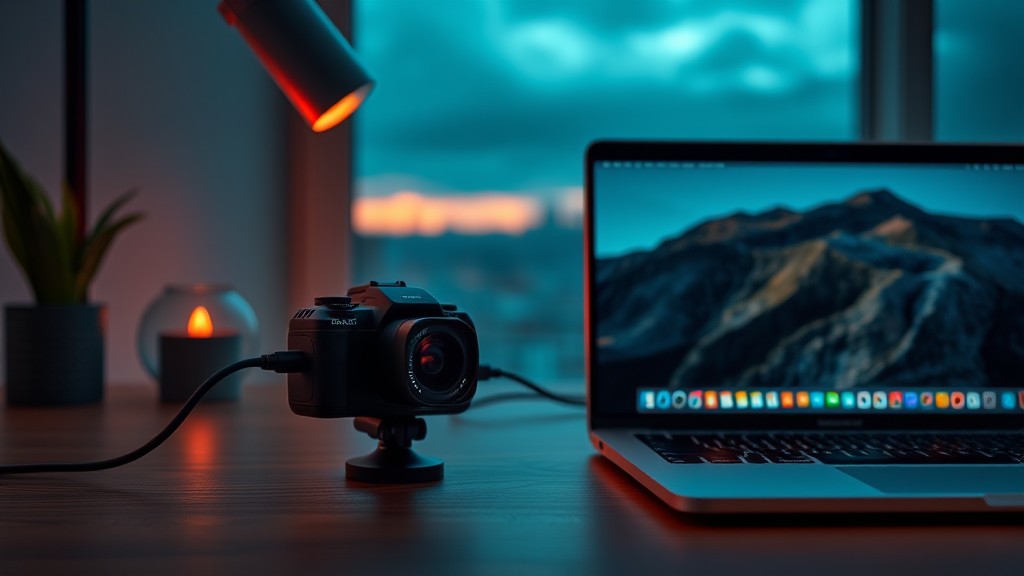
USB cable connecting action camera to MacBook

Method 2 — Insta360 app on iPhone, then Mac

Download clips to the Insta360 app over camera Wi‑Fi (do not lock the phone or leave the app). Then plug the iPhone into the Mac, open Finder → Files → Insta360, expand DCIM, and drag to the Mac.

Reverse direction uses a desktop folder literally named IMPORT — all caps — dragged into the Insta360 sandbox; restart the app to see files. Android on Mac means Android File Transfer and a deep path under com.arashivision.insta360akiko.

This is the workflow Insta360 documents for “app to computer.” It is not wireless to Mac; the phone is the bridge.

Pros

  • Uses official app features (preview, basic edits) before export
  • Works when you already shoot tethered to the phone
  • No third-party Mac software

Cons

  • Two hops: camera → phone storage → Mac
  • Phone storage and battery become the bottleneck
  • Finder file sharing shows no progress bar — easy to unplug too early
  • Large 360° clips can fill a phone fast

GO 3 manual: do not exit the app or lock the screen while downloading to the app.

Quick File Transfer enabled on Insta360 Action Pod

Method 3 — Insta360 Camera Import (Mac Wi‑Fi)

Our free macOS app speaks the same Wi‑Fi file protocol as the mobile app. On GO 3/3S: dock in the Action Pod, turn on Quick File Transfer, join the camera Wi‑Fi on the Mac, open Insta360 Camera Import, browse, preview, and import to ~/Movies/Insta360.

Tested detail: once Quick File Transfer is active, the phone app does not need to stay open. You still need the app for first-time Bluetooth pairing or if the Pod asks to connect the app.

This fills the “Mac wireless import” gap Insta360 Studio leaves open. It is not official; keep files on the SD card until you verify copies.

Pros

  • No USB cable and no phone relay for day-to-day GO 3S imports
  • Browse, sort, stream preview, resume interrupted downloads
  • Tracks already-imported clips; local-only, no cloud upload
  • Matches “Quick File Transfer” workflow you already use on the Pod

Cons

  • Unofficial — use at your own risk
  • Mac loses internet while on camera Wi‑Fi
  • Requires Quick File Transfer screen stay active on Pod
  • Not Apple-notarized (right-click → Open first launch)
  • GO 3/X4/X5/Ace: protocol-compatible but less field-tested than GO 3S
Import progress in Insta360 Camera Import macOS app

Ready to import over Wi‑Fi?

Free for macOS 13+. Download the DMG, follow the setup guide for Quick File Transfer, then browse and copy clips to ~/Movies/Insta360.

What users and Insta360 docs say

I was doing this during a vacation, and it corrupted the microSD card. I just read about this happening to someone else (either on Reddit or Facebook). They were able to use a file recovery tool to get their files back. In my case… some of my files were lost permanently. Because of this, I no longer use USB to transfer files directly from the camera.

Approximately 36 MB/s when using the original data cable.

Connect your camera to computer (Bluetooth or wireless connection for importing media is not supported on Windows PCs).

You may not be able to see the transfer progress. Please wait for it to finish. After transferring, restart the Insta360 app on your phone to see the files.

Which method should you use?

Choose USB when

You have the original cable, a stable port, and a big batch to move in one sitting. Eject properly; consider copying from microSD if USB has been flaky for you.

Choose phone relay when

You already live in the Insta360 app for reframing and you only move a few clips. Accept the two-step flow and wait for Finder copies to finish.

Choose Insta360 Camera Import when

The cable is missing, Quick File Transfer is already on, and you want a native Mac browser without parking everything on your iPhone first.

Common questions

Is Wi‑Fi import faster than USB on GO 3S?

Usually no. USB is rated around 36 MB/s on GO series. Wi‑Fi is for convenience when the cable is not available, not raw speed records.

Does Insta360 Studio support Wi‑Fi import on Mac?

No. Studio’s import guide lists USB U-Disk mode and local files. Bluetooth/wireless camera import is not supported on desktop.

Will this replace the Insta360 phone app entirely?

No. You still need the app for firmware, pairing, and USB password recovery on GO 3S. Camera Import targets the Mac copy step only.

Is Insta360 Camera Import safe for my SD card?

It downloads over HTTP like the mobile app; it does not format the card. Always keep originals until copies are verified — same rule for any method.

Try Wi‑Fi import on your Mac

Free download for macOS 13+. Step-by-step Pod setup is in our visual guide.

← Back to home